The Issue
1:1 Devices & EdTech
More technology in the classroom isn't necessarily better.
The Big Picture
Intentional use, not default use
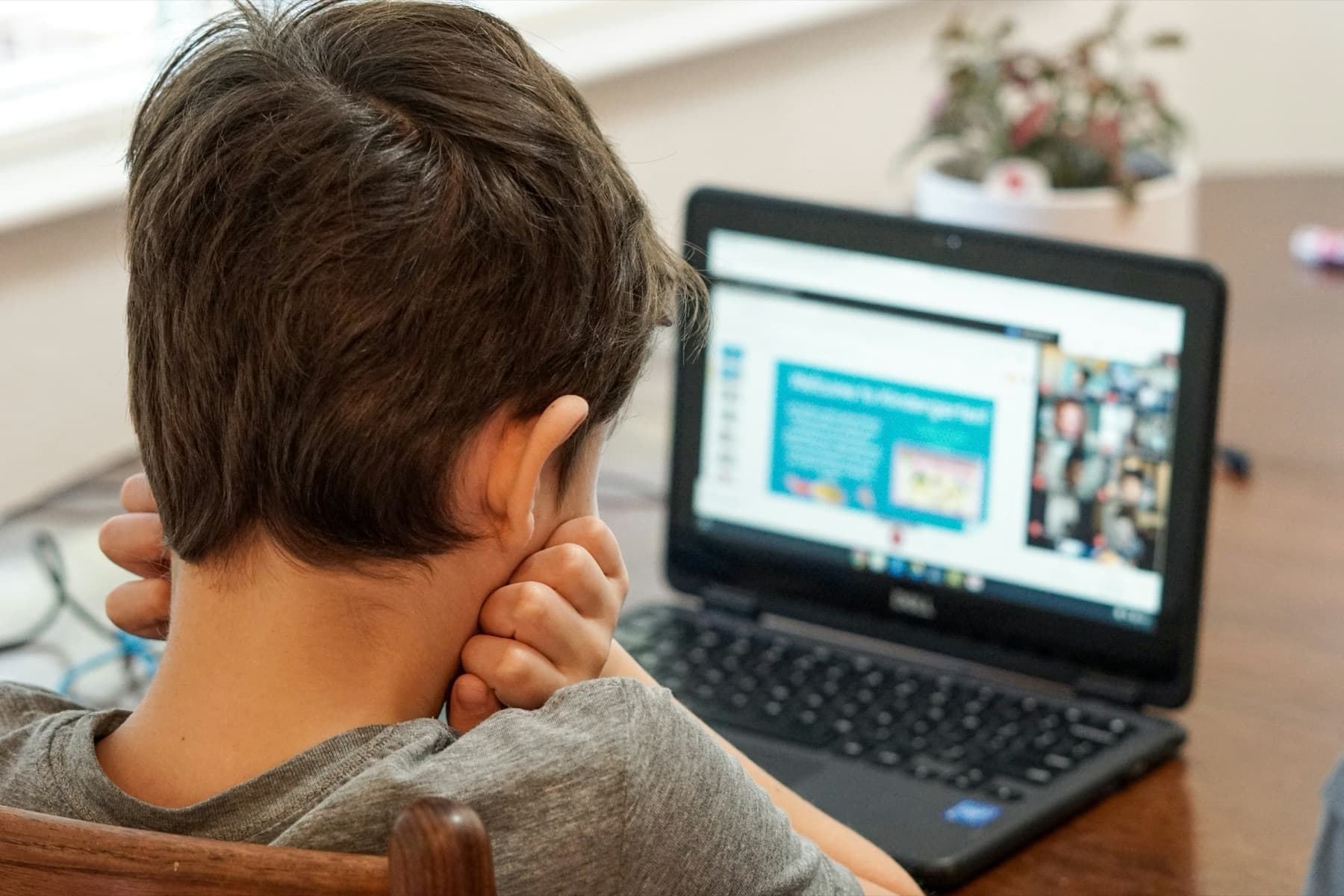
Schools today are full of screens. Chromebooks, tablets, and an ever-growing catalog of apps and platforms have become standard in most classrooms. But more tech doesn't automatically mean more learning. A growing body of evidence suggests that it can actually negatively impact learning outcomes.
What the Research Shows
The evidence is mounting

A growing body of research raises serious questions about the increasing role of technology in the classroom:
- The OECD's 2024 analysis of PISA data found that leisure use of digital devices at school, and being distracted by classmates' devices, is negatively associated with performance. Students distracted by devices in maths class scored significantly lower, even after adjusting for socioeconomic factors. OECD, Students, digital devices and success (2024) ↗
- Students who take notes by hand do better on conceptual questions than those who type, because typing invites verbatim transcription instead of processing an idea in your own words. Mueller & Oppenheimer, Psychological Science (2014) ↗
- Reading comprehension is measurably higher on paper than on screens, especially for longer or more complex texts. Delgado et al., Educational Research Review (2018) ↗
- A review of the research on media multitasking found that it interferes with attention and working memory, with negative effects on GPA, test performance, recall, reading comprehension, and note-taking, both during class and while studying. Students are also poor judges of how much multitasking is costing them. May & Elder, Int'l Journal of Educational Technology in Higher Education (2018) ↗ The 2026 U.S. Surgeon General's advisory cites this finding in recommending more paper-based materials and limiting individually assigned devices outside computer labs. U.S. Surgeon General's Advisory (2026) ↗
A Framework for Evaluating Classroom Tech
The EdTech Triangle
Think of it like a food pyramid for classroom technology. Not all tech use is equal: some enhances learning, some undermines it. The EdTech Triangle was created by Blythe Winslow and Amy Tyson of Everyschool, the first research-based model of healthy classroom tech use. It's free and open-source for educators and districts.
Everyschool's site has the examples for each tier and a poster you can bring to your district. See the full framework ↗
Right Now
What PA parents are saying
These numbers come from PA Unplugged's own statewide parent survey. Explore the full dashboard, including results filtered to your school district.
For Parents
Questions to ask your school

You don't need to be a tech expert to ask the right questions. Here are some good places to start:
- 1How many hours per day is my child spending on a screen at school?
- 2What evidence-based research did the school use to determine that using a tablet/laptop for this class is a) developmentally appropriate and b) better than non-digital learning methods?
- 3What problem is this tool solving, and what is the educational rationale for using it?
Five more questions worth asking +Show fewer −
- 4How is student data being collected, stored, and shared by these tools?
- 5Are there non-digital alternatives being used alongside or instead of screens?
- 6Has the school evaluated whether these tools actually improve learning outcomes?
- 7During school hours, are children allowed to use school-issued devices outside the classroom (e.g., lunch, free time, recess)? Who monitors their use?
- 8How do teachers feel about the amount of screen time in their classrooms?
Position Statement
Our point of view on EdTech & AI
PA Unplugged stands for an educational environment where children can develop fully — physically, socially, and intellectually — before they are handed a screen. Our ten-point position covers K–12, with grade-level distinctions where developmental readiness matters: no devices in K–3, no screen-based homework in elementary school, no generative AI for students, and a parent seat at the table when districts choose their tools.
Download the one-page PDF to share with your school board.
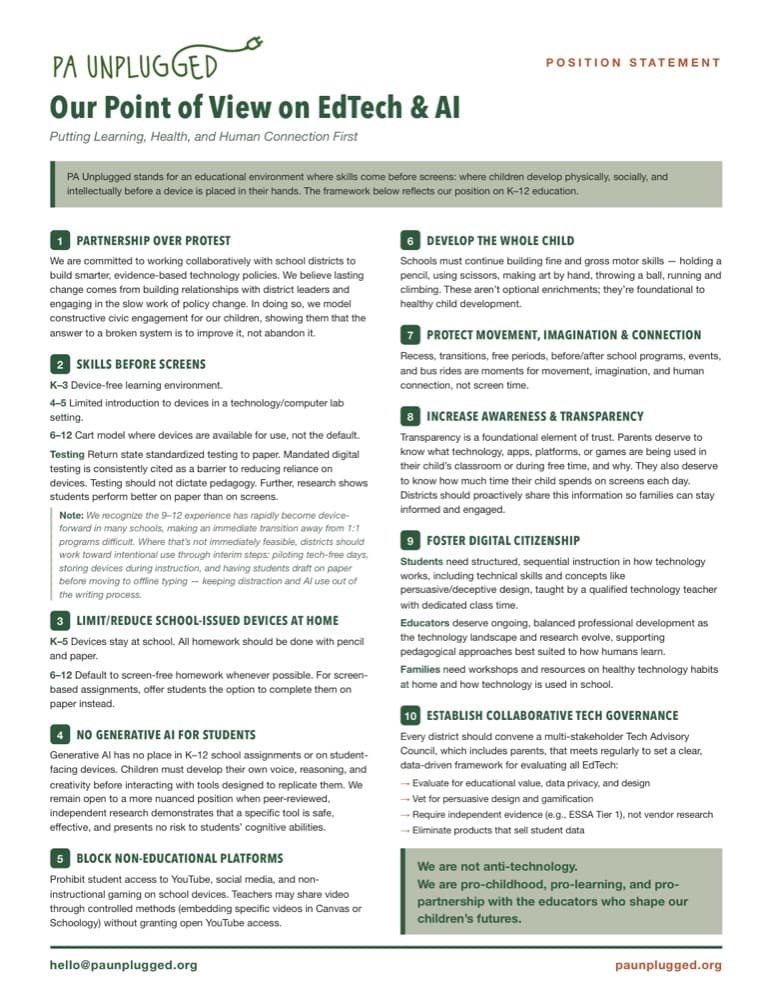 Read the position statement ↗
We are not anti-technology. We are pro-childhood, pro-learning, and pro-partnership with the educators who shape our children's futures.
Go Deeper
Key Resources
- EdTech Resource Library · Schools Beyond Screens & Distraction-Free Schools. A running library of research, articles, podcasts, webinars, and advocacy templates on classroom technology, organized by topic
- The Digital Delusion · Jared Cooney Horvath. How classroom technology harms learning, and what to do about it. Out August 18 from Harmony; pre-order now.
- The EdTech Triangle · Everyschool. The research-based framework for healthy classroom tech. Free and open-source.
- EdTech Advocacy Tracker · Four Norms. Communities petitioning school boards across the country.
- PA Parent Survey Dashboard · PA Unplugged. What 1,700+ PA parents say about screens in school, updated daily.
Take Action
Build your action plan
Answer a few questions about how technology is used at your school and get a personalized advocacy plan with clear next steps.
EdTech Advocacy GuideTake the parent survey
Five minutes. Your response feeds the public dashboard showing how parents across Pennsylvania feel about school technology.
Parent SurveyDon't do it alone
Join PA Unplugged and connect with parents already asking these questions in your district. Members organize together in our space on Four Norms.
Join us